Digital health
ABDM for hospitals: what registration actually involves for a small hospital or nursing home
Two registries, one patient ID, a software step you don't control and a front-desk habit you do: here is how the pieces fit for a 10 to 50 bed hospital.
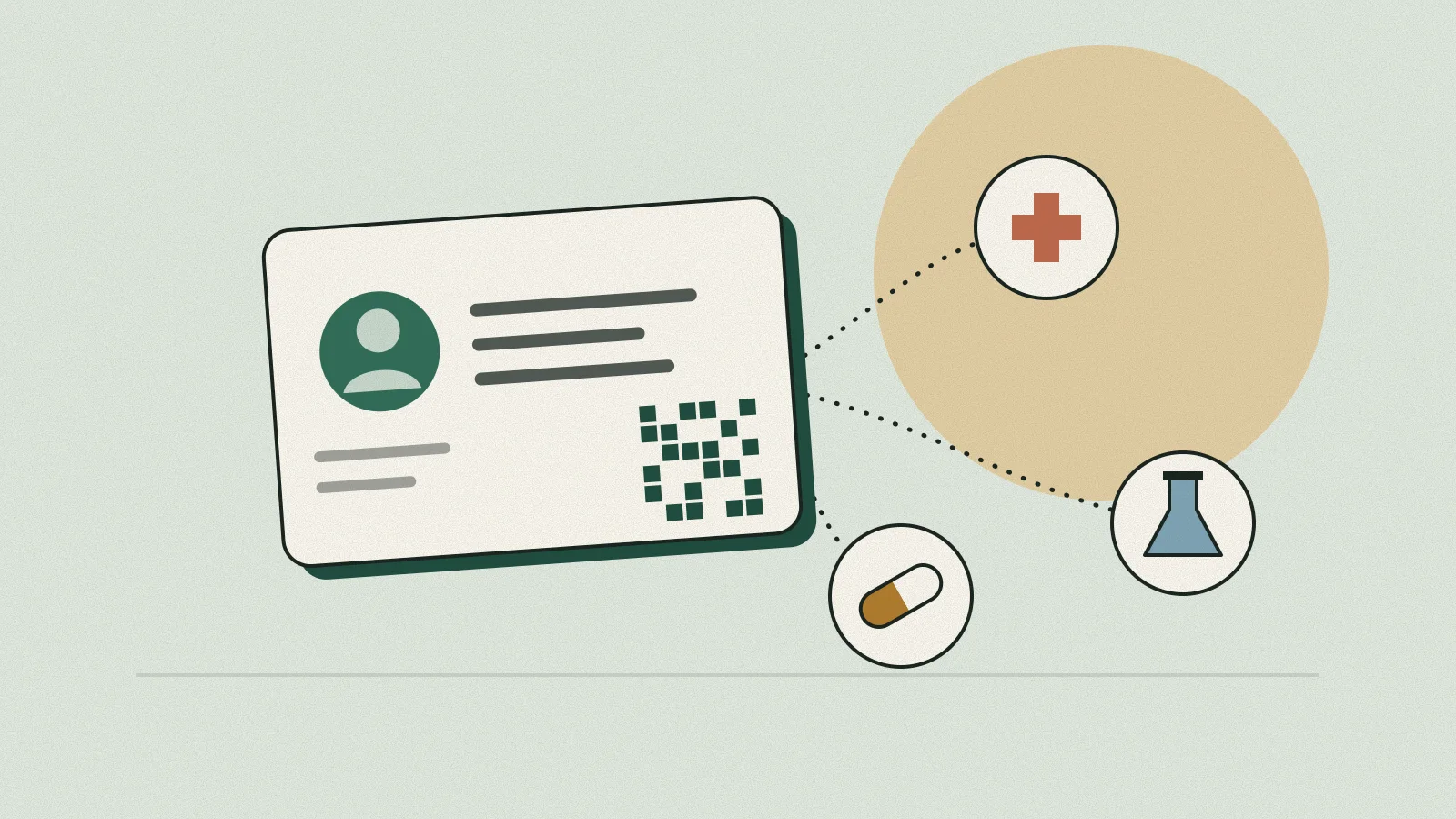
Most small hospitals first hear about ABDM from a software vendor's sales call or a forwarded circular from the district office, and both make it sound like one registration. It is several. There are two registries to sign up on, a health ID to create or link for each patient, a software compliance step that sits with your vendor, and a daily routine at the front desk that decides whether any of it gets used.
Doing half of it is common and gets you very little. A 25-bed nursing home that registers on the facility registry but keeps billing on software with no ABDM integration ends up with a facility ID and nothing else: no linked records, no incentive, and reception staff who think ABDM means asking for the patient's Aadhaar a second time. What follows takes the pieces in the order you will meet them.
What does ABDM registration involve for a small hospital?
ABDM for hospitals has four parts: register the facility on the Health Facility Registry (HFR), enrol each doctor and nurse on the Healthcare Professionals Registry (HPR), run software that is certified ABDM-compliant, and create or link each consenting patient's ABHA at registration. The registries are online and free. The software and the desk routine decide whether records actually move.
It helps to see who owns each piece, because in most hospitals the administrator assumes the vendor has done everything and the vendor assumes the hospital has.
| Piece | Who does it | What you end up with |
|---|---|---|
| HFR (facility registry) | Owner, medical superintendent or administrator | A 12-digit facility ID, after the entry is approved |
| HPR (professional registry) | Each doctor, nurse and allied professional, or the HMIS on their behalf | A 14-digit Healthcare Professional ID, after council and state verification |
| ABHA (patient ID) | Patient, usually helped by the registration desk | A 14-digit ABHA number and an ABHA address such as name@abdm |
| ABDM-compliant software | Your HMIS or lab software vendor | Live M1, M2 and M3 capability in production, not just in the sandbox |
What is HFR registration and who has to do it?
The Health Facility Registry is the National Health Authority's directory of hospitals, clinics, labs, imaging centres and pharmacies, public and private, across all systems of medicine. Any facility that wants to issue ABDM-linked health records has to be on it. Once the entry is approved, the facility gets a 12-digit ID that the software uses in every transaction.
The older portal address, facility.abdm.gov.in, now redirects to the National Healthcare Providers Registry site at nhpr.abdm.gov.in, so do not be thrown if a staff member's bookmark lands somewhere unfamiliar. The details you enter there (facility name, address, ownership, type, bed strength, services offered) should match your state registration certificate under the Clinical Establishments Act or your state's nursing home rules. Mismatches are the usual reason an entry sits in "pending approval" for weeks.
Two practical habits save trouble later. First, let one named person own the HFR login and keep the credentials in the hospital's name, not on a vendor executive's phone. Second, update the bed count when you add beds. The original incentive policy used the bed strength declared on HFR for its calculations, and the registry entry is what other ABDM systems read when they look your hospital up.
Do doctors and nurses need HPR registration?
Yes. ABDM's guidelines require doctors and other health professionals at participating facilities to enrol on the Healthcare Professionals Registry. Each gets a 14-digit Healthcare Professional ID once their medical or nursing council and a state verifier confirm the details. HPR is what lets a prescription or discharge summary carry a verified clinician's identity.
A doctor can self-register at hpr.abdm.gov.in by choosing their council, entering their registration number, verifying with Aadhaar and then filling in three sections: personal details, registration and academic details, and work details. The profile is e-signed and submitted. ABDM-compliant hospital software can also create the ID through the registry's API.
In a small hospital the gap is usually visiting consultants. Your resident medical officers will register if asked, but the orthopaedic surgeon who comes in on Tuesdays and Fridays may not see the point. Keep a simple HPR status column in your credentialing file (the same file NABH assessors ask for, which our guide to NABH entry-level certification covers) and chase verification, because a submitted profile is not a verified one.
How does ABHA creation and linking work at the registration desk?
ABHA is a 14-digit health account number a patient creates with Aadhaar or another notified KYC document, such as a driving licence. Alongside it the patient gets an ABHA address, which is what records get linked to and consent requests are sent to. At the desk, staff create a new ABHA through the hospital software or link an existing one.
The quickest route for patients who already have an ABHA is Scan and Share. The patient scans a QR code displayed at the registration counter, their demographic details come from their ABHA profile into your system, and a queue token is generated. A government summary published in July 2026 cited an IIHMR study that found waiting time at registration fell from about an hour to 2 to 5 minutes where it was used. Your mileage will depend on how many patients arrive with the ABHA app already on their phone.
A workable desk routine looks like this:
- Ask every new patient whether they have an ABHA, and point to the Scan and Share standee before reaching for the keyboard.
- If they have one, scan or enter the ABHA address and complete the OTP verification so the link is real, not just typed in.
- If they don't, offer to create one, explain in a sentence what it does, and complete Aadhaar or mobile OTP verification.
- If the patient declines, register them normally. ABHA is voluntary, and treatment must never wait on it.
- When a lab report, prescription or discharge summary is finalised, check that the software has linked it to the patient's record for that visit.
- Before closing the counter, look at the day's failed or pending links in the software and fix them while the patient's phone number is still fresh.
Two rules from the incentive scheme are worth teaching the desk, even if incentives are not your main reason for joining. Only one transaction per ABHA address per day, and five per month, counts at a facility. So creating three separate records for one OPD visit does not triple anything; it just makes a messy history for the patient.
What are ABDM milestones M1, M2 and M3?
The milestones are stages of software integration with ABDM, not steps the hospital completes itself. M1 covers ABHA creation and linking. M2 makes the software a Health Information Provider that can share records with patients. M3 makes it a Health Information User that can fetch a patient's records from other facilities, with consent.
Your vendor builds and tests these in the ABDM sandbox, and an app must pass a security audit before it can connect to the live system. Plenty of vendors have M1 working and describe themselves as "ABDM integrated". That is true and also not enough for most hospitals.
| Milestone | ABDM role | What staff see | Why it matters |
|---|---|---|---|
| M1 | ABHA creation and linking | Create or verify ABHA at registration; Scan and Share tokens | Gets patients into the system |
| M2 | Health Information Provider (HIP) | Reports, prescriptions and discharge summaries linked to the patient's ABHA | Patients can see your records in their ABHA app; enough for labs to count transactions under DHIS |
| M3 | Health Information User (HIU) | Doctor requests and views records from other facilities after the patient approves | Under the DHIS corrigendum, a hospital's transactions count only on software integrated up to M3 |
When you speak to a vendor, ask for specifics rather than a yes:
- Which milestones are live in production for your hospital's installation, and since when?
- Which record types (OPD prescription, lab report, discharge summary, radiology report) are shared under M2?
- Where in the software can the administrator see the month's ABHA-linked transaction count?
- Who registers the hospital's software with its HFR ID, and who holds those credentials?
How do consent and health record sharing work under ABDM?
NHA does not keep a central store of patient records. Records stay with the hospital or lab that created them. When another facility wants a patient's history, it sends a request through the ABDM consent manager, the patient approves it in their ABHA app, and only then are the records sent. Consent is time-bound and the patient can revoke it.
Records are grouped into care contexts, which in hospital terms is usually one OPD visit or one admission. When your physician fetches a referred patient's history, she sees the care contexts the patient chose to share for the period they allowed, not the patient's entire life. Staff should not promise relatives that "the doctor can see all old reports on the computer". It depends on what the patient approves.
On your side, the obligations are the ones you already have for paper records, applied to digital ones: share only what the patient has consented to, keep records secure, and keep the software's audit trail switched on. Consent handling is built into the certified software, which is one more reason not to accept a home-built workaround that skips certification.
How much can a hospital earn under the Digital Health Incentive Scheme?
Under the March 2023 corrigendum to the Digital Health Incentive Scheme, any HFR-registered facility, whatever its bed count, earns ₹20 for each eligible transaction above 100 in a month. A transaction is an ABHA-linked health record or a Scan and Share token. Facilities at or below 100 transactions in a month get nothing for that month.
Say a 30-bed nursing home ends the month with 640 eligible transactions after the per-patient caps are applied. Its incentive is (640 − 100) × ₹20 = ₹10,800. Its software company separately becomes eligible for ₹5 per transaction above 100. Payments are released only once the eligible amount crosses ₹2,500 on a cumulative basis, so a facility hovering around 150 transactions a month will wait a few months for its first payout.
The corrigendum also lets facilities use the incentive to reward the staff who do ABHA creation and linking, which is worth considering, since the desk is where the count is made or lost. The scheme was originally time-bound and has been extended more than once. A government note in July 2026 said over ₹107 crore had been paid to hospitals as of 18 June 2026. Rates and eligibility can change, so check the current terms at abdm.gov.in/DHIS before you budget for it.
What should a small hospital do first?
Start with what you control, then hold the vendor to the parts you don't. A sensible order for a 10 to 50 bed hospital:
- Register the facility on HFR and keep the approval acknowledgment in your statutory file.
- List every doctor and nurse, including visiting consultants, with their HPR status, and follow up until each is verified.
- Get written confirmation from your software vendor of which milestones are live in production.
- Train two people per shift on ABHA creation, linking and Scan and Share, and put the QR standee where patients queue.
- Review the monthly linked-transaction count alongside OPD and IPD numbers; a big gap means the desk routine is slipping.
If you are replacing software anyway, an ABDM-integrated HMIS such as Healthixio (made by Kentron Technologies, the publisher of this site) is one of several options; whichever you shortlist, ask for the production milestone list in writing. ABDM is also the base for the National Health Claims Exchange, which insurers are being asked to bring hospitals onto, so the same integration work feeds into your claims desk. Our article on why TPA claims get queried or rejected covers that side.
Questions readers ask
Is ABDM registration mandatory for private hospitals?
ABDM's own material describes facilities as able to join, and ABHA is optional for patients. Your state health department or an empanelment agreement may set its own expectations, though. Check what your state and your payer contracts currently require.
Can a hospital create an ABHA for a patient without Aadhaar?
Yes. ABDM's guidelines allow ABHA creation with Aadhaar or other KYC documents notified by NHA, such as a driving licence. Whether your desk can do this depends on which creation methods your software supports, so ask your vendor.
How long does HFR approval take?
There is no fixed published timeline, and it varies by state. Entries with details that match the state registration certificate tend to move faster. If an entry stays pending, contact your state ABDM nodal officer with the facility's reference number.
Does a small clinic with no beds qualify for the Digital Health Incentive Scheme?
Under the March 2023 corrigendum, all HFR-registered facilities are eligible irrespective of bed count, provided they cross 100 eligible transactions in a month. Virtual facilities created on HFR are not eligible. Confirm current terms on the ABDM website before relying on them.
What happens to our records if we change software vendors?
The records belong to your facility, and ABDM links depend on your HFR ID and the patient's ABHA address, not on a particular vendor. Before switching, agree in writing how existing records and care-context links will be migrated, and keep the old system readable until that is done.
Sources
- 1.ABDM: Guidelines for HIPs, HRPs, HIUs and PHR apps (October 2022)
- 2.NHA: Corrigendum to Digital Health Incentive Scheme (16 March 2023)
- 3.NHA: Financial Incentive Policy for ABDM adoption (DHIS)
- 4.ABDM: Overview and pathways for HPR registration
- 5.PIB Research: Ayushman Bharat Digital Mission explainer (July 2026)
Sanjeevani Prime is published by Kentron Technologies, which also makes Healthixio and Tatva ERP. Where an article mentions those products, we say so. This article is general information, not medical, legal or tax advice; rules change, so check the sources above before acting. Read our editorial policy.
Keep reading
Diagnostics
How to reduce turnaround time in a pathology lab, one stage at a time
Most of the delay in a lab report happens outside the analyser, and you only find it once every stage carries its own timestamp.
22 November 2026 · 10 min read
Billing & insurance
TPA claim rejection at small hospitals: why cashless claims get queried or cut, and how the billing desk prevents it
Most cashless losses are decided at admission and on discharge day, not by the TPA's medical officer, so the fixes belong at the billing desk.
22 November 2026 · 8 min read
Pharmacy
Pharmacy expiry management: how to stop near-expiry stock turning into a write-off
Expired medicines are rarely a surprise; they are near-expiry stock that nobody acted on while there was still time to return or sell it.
22 November 2026 · 9 min read